
Selection Methods
Control specific rows, columns, layers, and fans
Row Selection
Single Row
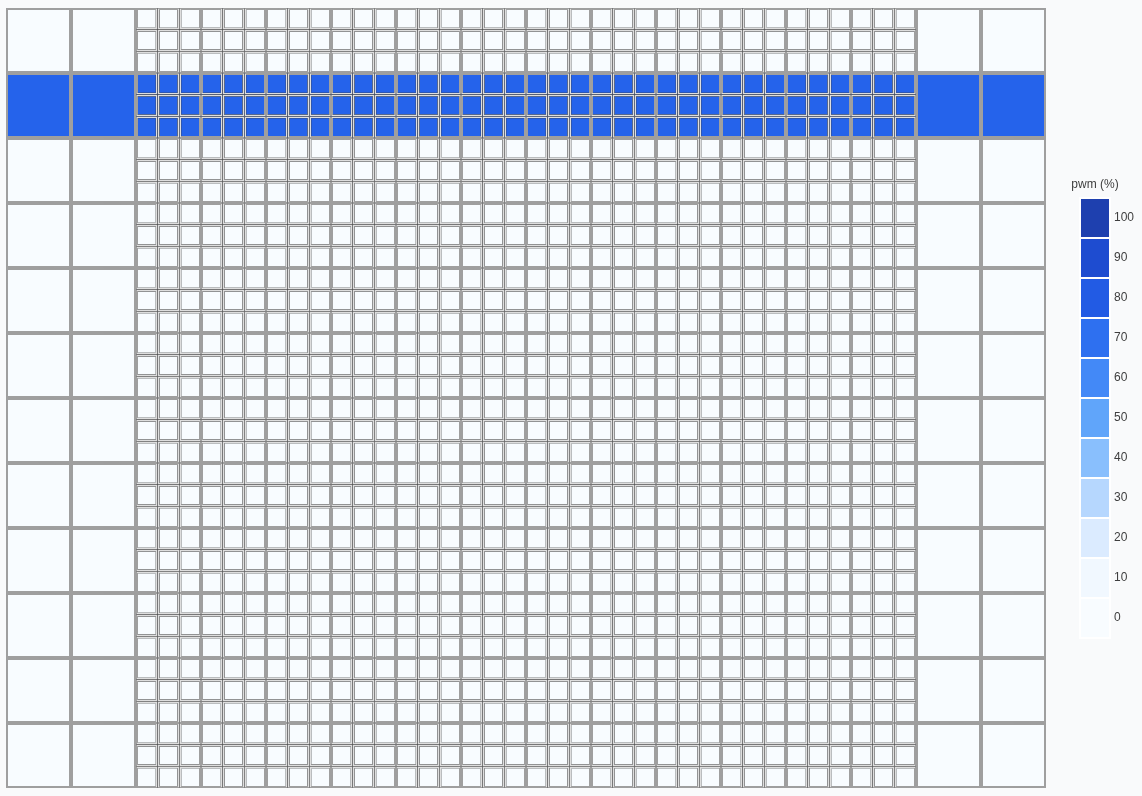
Control all fans in a single row:
single_row.py
from windsuite_sdk import WindsuiteSDK

sdk = WindsuiteSDK(base_url="http://windshape.local")
sdk.start_communication()

sdk.fan_controller.row(2).set_intensity(percent=75).apply()
Multiple Rows
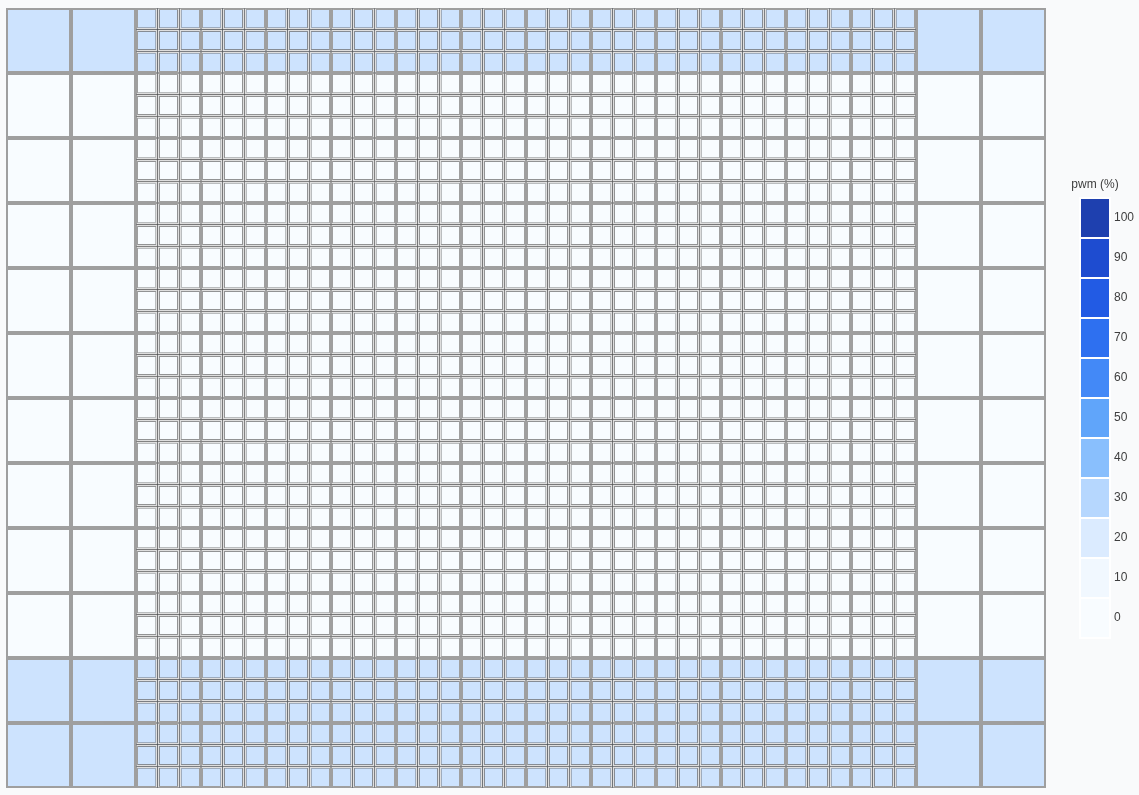
Control specific rows using a list:
multiple_rows.py
from windsuite_sdk import WindsuiteSDK

sdk = WindsuiteSDK(base_url="http://windshape.local")
sdk.start_communication()

sdk.fan_controller.rows(rows=[1, -2, -1]).set_intensity(percent=25).apply()
Row Range
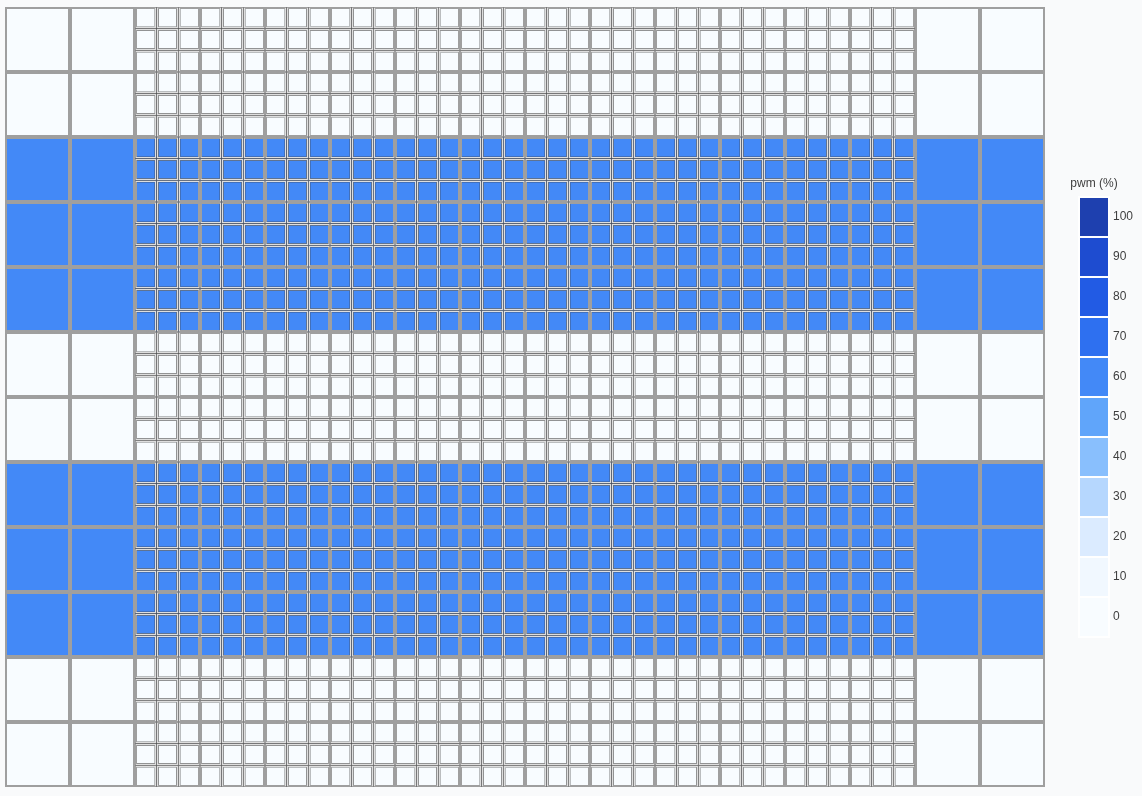
Control a range of rows:
row_range.py
from windsuite_sdk import WindsuiteSDK

sdk = WindsuiteSDK(base_url="http://windshape.local")
sdk.start_communication()

print("Setting rows 3 to 5 to 60%...")
sdk.fan_controller.rows(from_row=3, to_row=5).set_intensity(percent=60)

print("Setting rows 8 to -3 to 60%... (can take negative indices)")
sdk.fan_controller.rows(from_row=8, to_row=-3).set_intensity(percent=60).apply()
Column Selection
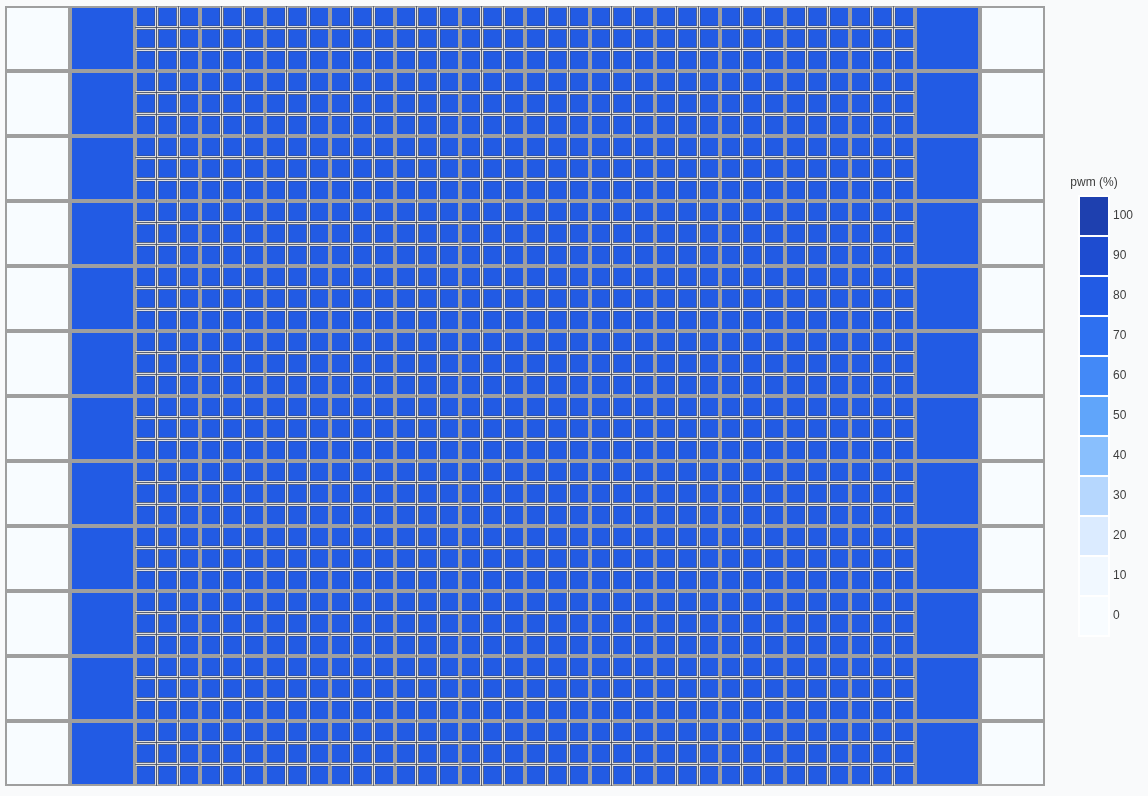
Column selection works similarly to row selection:
column_selection.py
from windsuite_sdk import WindsuiteSDK

sdk = WindsuiteSDK(base_url="http://windshape.local")
sdk.start_communication()

print("Setting columns 2 to -2 to 80%...")
sdk.fan_controller.columns(from_col=2, to_col=-2).set_intensity(percent=80).apply()
Row and Column Combination
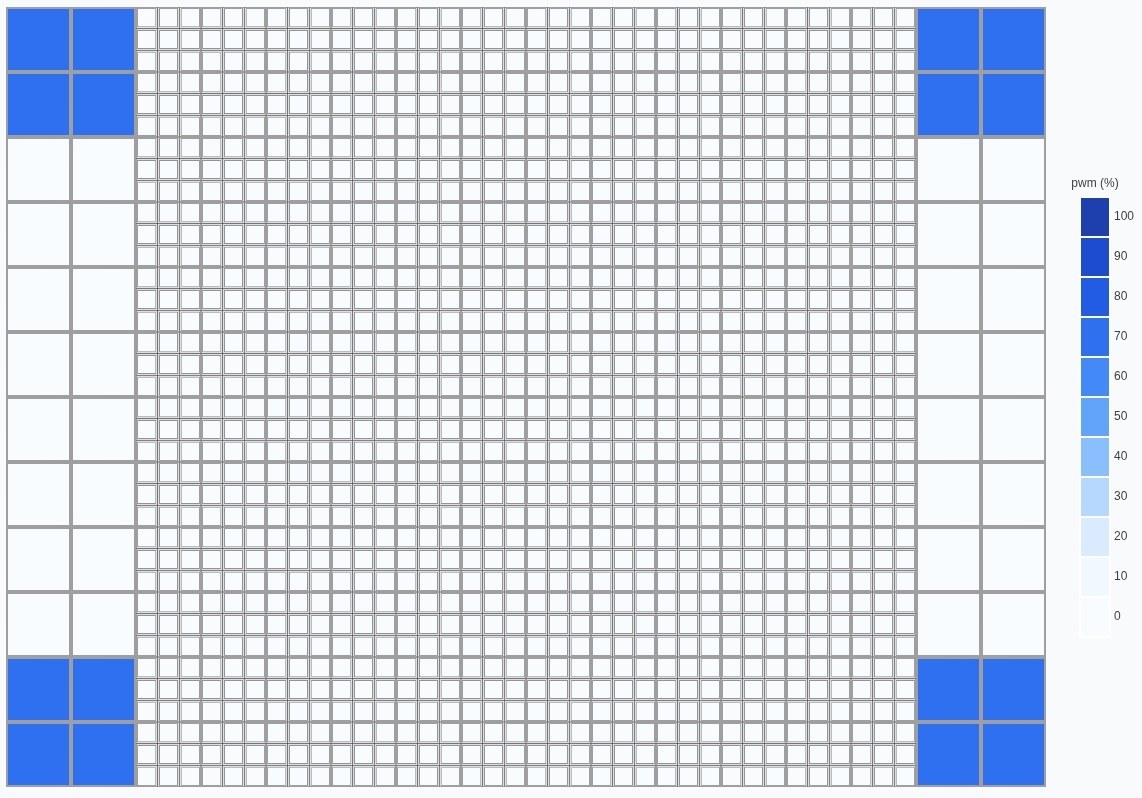
Combine row and column selection for precise control:
row_col_combination.py
from windsuite_sdk import WindsuiteSDK

sdk = WindsuiteSDK(base_url="http://windshape.local")
sdk.start_communication()

print("Setting row 1, 2, -1, -2 and columns 1, 2, -1, -2 to 70%...")

sdk.fan_controller.rows(rows=[1, 2, -1, -2]).columns(
    columns=[1, 2, -1, -2]
).set_intensity(percent=70).apply()
Layer Selection
For multi-layer modules, you can control specific layers:
from windsuite_sdk import WindsuiteSDK

sdk = WindsuiteSDK(base_url="http://windshape.local")
sdk.start_communication()

# Control only the downstream layer
sdk.fan_controller.downstream().set_intensity(percent=50).apply()

# Control only the upstream layer
sdk.fan_controller.upstream().set_intensity(percent=75).apply()

# Not selecting a layer controls both layers
sdk.fan_controller.set_intensity(percent=60).apply()

# You can explicitly combine layers but it's not necessary as both are selected by default
sdk.fan_controller.downstream().upstream().set_intensity(percent=70).apply()
Individual Fan Selection
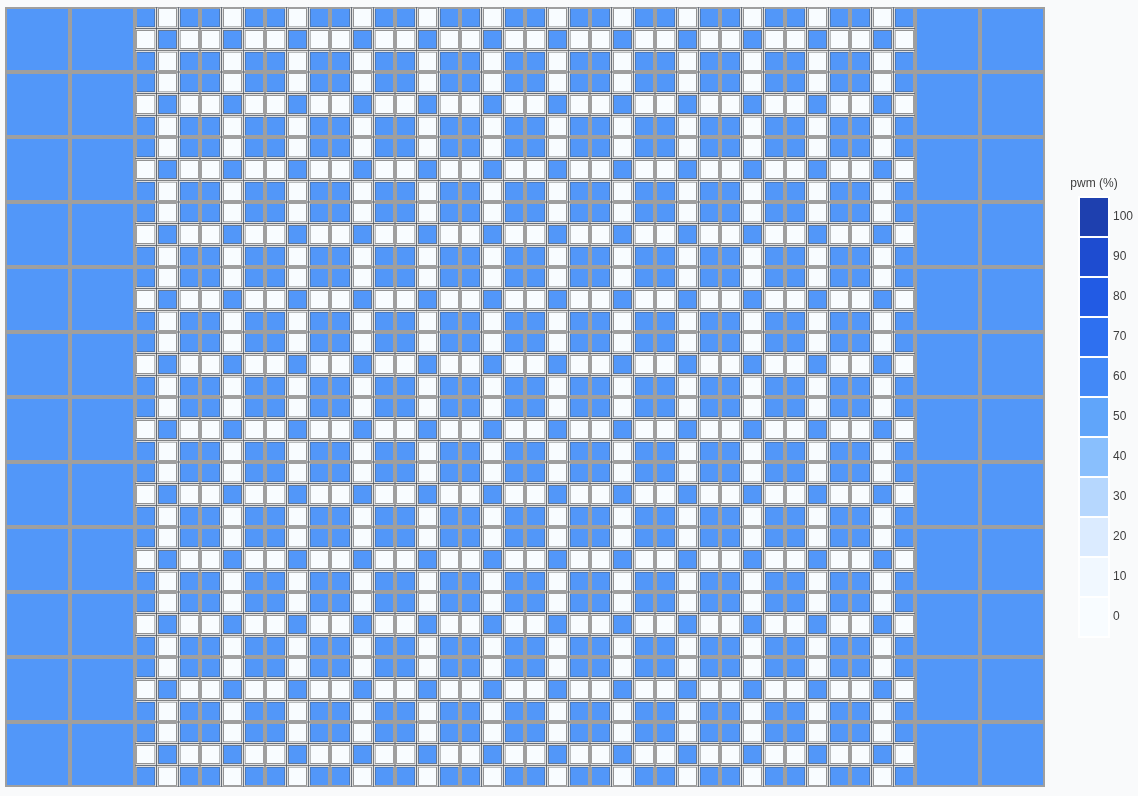
For 0816 modules (9 fans per layer), select specific fans:
When selecting specific fans on a single fan module (e.g., 2420), the fan selection is ignored and the fan is treated as selected.
fan_selection.py
from windsuite_sdk import WindsuiteSDK

sdk = WindsuiteSDK(base_url="http://windshape.local")
sdk.start_communication()

sdk.fan_controller.fans(fans=[1, 3, 5, 7, 9]).set_intensity(percent=71).apply()
Even/Odd Modules
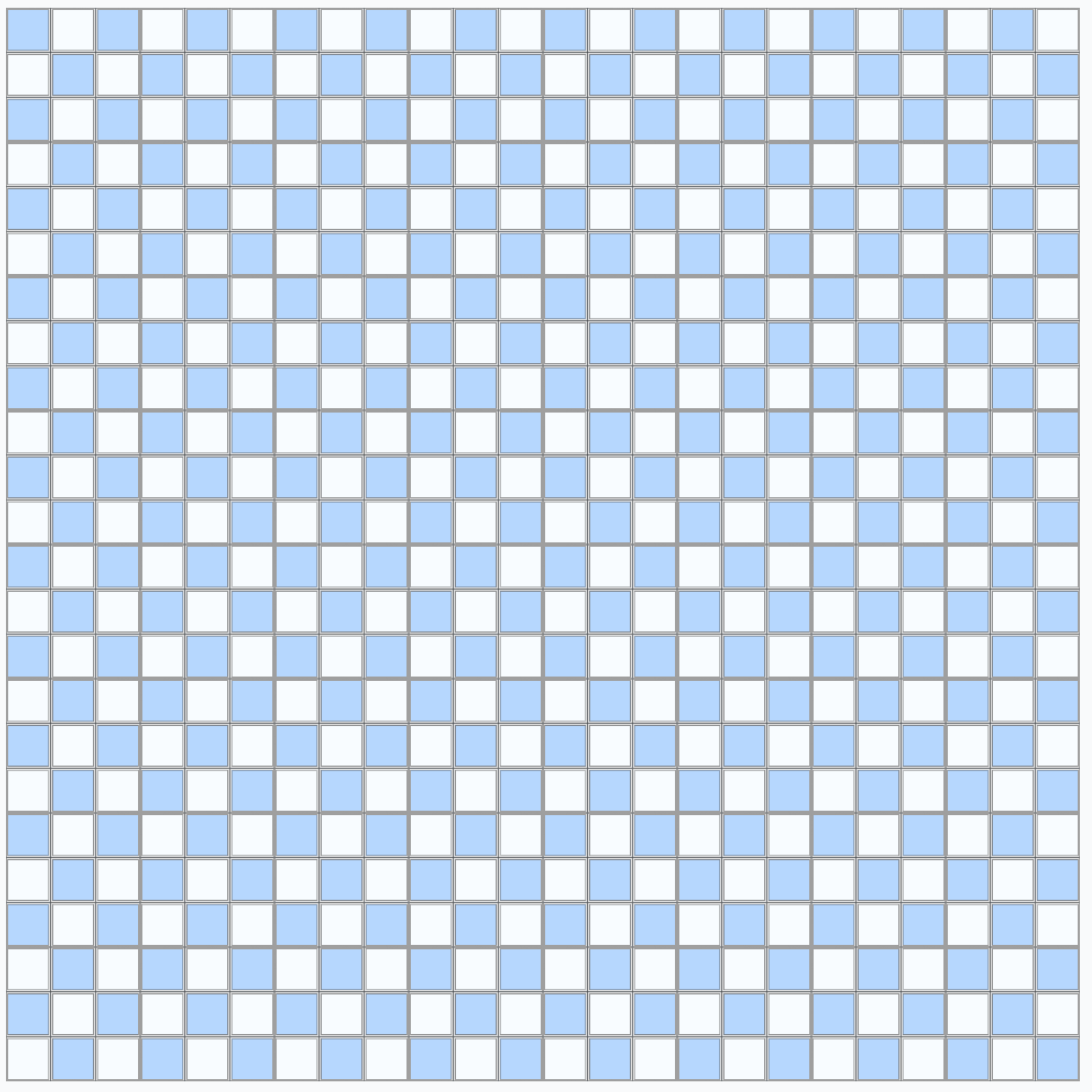
For easier patterns, you can select all even or odd modules.
Example of a checkerboard pattern:
checkerboard.py
from windsuite_sdk import WindsuiteSDK

sdk = WindsuiteSDK(base_url="http://windshape.local")
sdk.start_communication()

sdk.fan_controller.fans(fans=[1, 3, 5, 7, 9]).even_modules().set_intensity(
    percent=[[30]]
)

sdk.fan_controller.fans(fans=[2, 4, 6, 8]).odd_modules().set_intensity(
    percent=[[100]]
)

sdk.fan_controller.apply()